A free app that replaces your phone’s camera
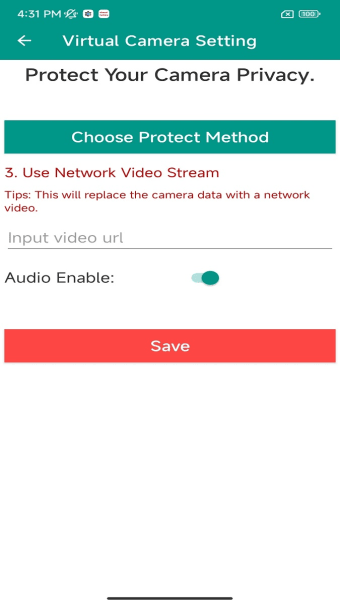
Virtual Camera : Live Assist is a free multimedia app developed by andvipgroup that allows users to replace their smartphone camera feed with photos, videos, or live network streams. It is useful for protecting users’ camera privacy, assisting with live streaming broadcasts, or simply entertaining friends with creative personalized video feeds.
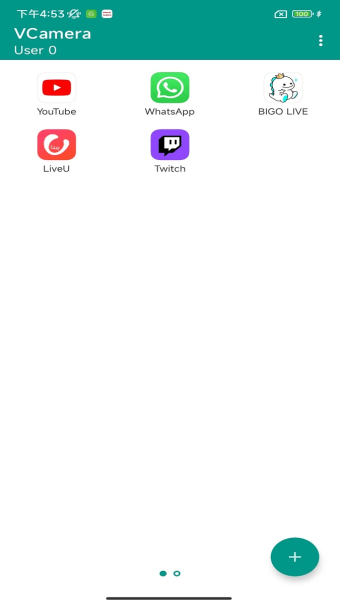
Despite the range of advanced features offered by Virtual Camera : Live Assist, it still remains very accessible for beginners. Its interface is clean, and the navigation is simple. The controls for switching between camera feeds are clearly visible, and the thoughtful design ensures newcomers can start using the app effectively.
Cam that fakes it 'til you make it
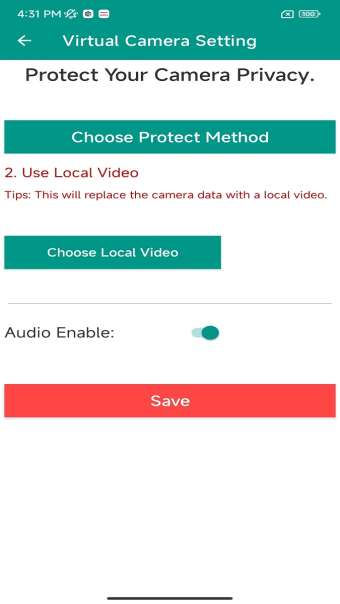
Virtual Camera : Live Assist lets users replace a device's camera feed with photos, videos, and live streams of their choice. This allows live streaming pre-recorded footage or the use of entertaining videos or photos, either to prank friends or protect actual camera privacy. The app also provides tools to resize, rotate, and zoom the replacement footage to their liking.
It also works well with streaming platforms like Twitch and YouTube. Instead of broadcasting a real camera feed, streamers can use pre-recorded videos, images, or custom visuals, making it useful for privacy-focused streams and to protect the streamer’s real-life identity. Most viewers don’t like it when streamers don’t show their faces, but adding some custom videos as a replacement is a better alternative than showing nothing at all.
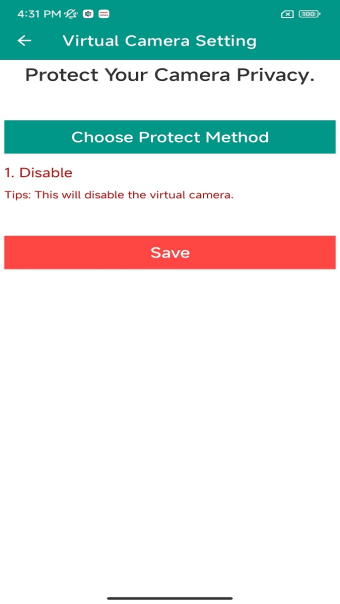
This app is best for users concerned about malicious apps accessing their device’s camera. However, users should exercise caution since the app relies on a virtual machine that can be detected by other applications. To avoid security risks, it is best to disable camera access for specific apps altogether rather than masking the camera feed to fully protect your privacy while using your device.
Show your camera feed the way you like it
Virtual Camera : Live Assist opens up new possibilities for camera privacy protection, live streaming assistance, and entertainment. By allowing users to control what their camera displays, it offers greater flexibility during broadcasts, streams, and video calls. While the app relies on a virtual machine that could potentially be detected by other apps, it stands as an accessible solution for controlling how the camera is accessed and used.